Video Downloader: Movie Player
- 4.1
- Rating
- 10.00K
- Installs
- Free
- Price

 Analysis by App-foxy
When I need to keep a video available for a journey, a weak-signal room, or a quiet evening without relying on streaming, I look for a tool that makes the path from link to playback uncomplicated. Video Downloader: Movie Player, developed by PV LABS, is built around that exact journey. It is a free app in the Video Players & Editors category, aimed at downloading videos and watching them later through the same place.
I found its appeal less in a long list of extras and more in the way it combines two jobs that are often split between separate apps: saving a video and opening it afterward. That can make a difference when I want a straightforward offline routine rather than a full editing suite, a social media manager, or a feature-heavy media center. The important question is whether this simple approach fits the way you actually handle video.
From finding a video to watching it offline
I find the most useful way to judge a downloader is to follow one video all the way from discovery to offline playback, rather than focus only on the moment a transfer starts. I’d begin with a source I’m allowed to save, then check how the choice of quality and available phone storage affects the plan. That practical route also makes it easier to see where this app’s convenience ends and a different tool may be wiser.
You May Also Like

 Pandora - Music & Podcasts
Pandora’s Music Is Easy to Start, but Harder to Recover
Pandora’s strength is its low-effort path from a seed to a station. Its weak spot is how much confidence it asks you to place in connection, setup, and quiet recovery.

 AccuWeather: Weather Radar
AccuWeather Review: A Quick, Clear Forecast for Everyday Decisions
For everyday plans, the best forecast is the one you can understand quickly. AccuWeather makes rain timing, radar, and local conditions easy to act on, with a few trade-offs.

 Hill Climb Racing
Why Hill Climb Racing Still Turns Crashes Into One More Run
A tiny car, a bumpy hill and one more upgrade: Hill Climb Racing keeps resurfacing because its simple chaos makes every near-miss feel personal.

 AliExpress - Shopping App
AliExpress Makes Global Shopping Feel Personal, but Shoppers Bear the Risk
AliExpress turns a global marketplace into a pocket-sized discovery engine. Its reach is useful, its shopping loop compelling, and its trade-offs easy to miss.

 Lords Mobile: Kingdom Wars
Lords Mobile Is a Kingdom-Building Routine, Not a Quick Match
A case-by-case verdict on the building, battles, device demands, and social commitments that make Lords Mobile rewarding for some players and exhausting for others.

 PDF Scanner app - TapScanner
TapScanner Makes Paperwork Easier to Capture, Check, and Share
TapScanner makes scanning with a phone feel less like a rescue operation and more like a dependable step in getting work done. Its capture tools are useful, though not flawless.
More From Our News Desk
View All News


The starting point: deciding what needs to be saved
The most useful way to approach this app is to begin with a specific offline need. For example, imagine I am preparing for a train ride where mobile coverage may be unreliable. I find a video I am allowed to save, open the downloader, and use it as the starting point for creating a local copy. The app’s purpose is clear at that moment: reduce dependence on an internet connection when I am ready to watch.
That scenario also highlights an important boundary. A downloader is not automatically a universal solution for every video service. Some platforms restrict saving, require their own offline mode, or protect content in ways that third-party tools cannot handle. I would use Video Downloader: Movie Player for content that can legitimately be downloaded and would check the source’s rules before beginning. That is not just a legal precaution; it also prevents wasted time when a link simply is not compatible with the workflow.
The app is free, and its Everyone content rating makes it approachable for a broad audience. Its current version is 1.0.0, so I would keep expectations practical: this feels like a focused utility for downloading and viewing, not a mature all-in-one video production platform. That distinction matters if you are choosing between a compact tool and an ecosystem packed with editing, casting, subtitle, and library-management features.
Step one: bringing the video into the app
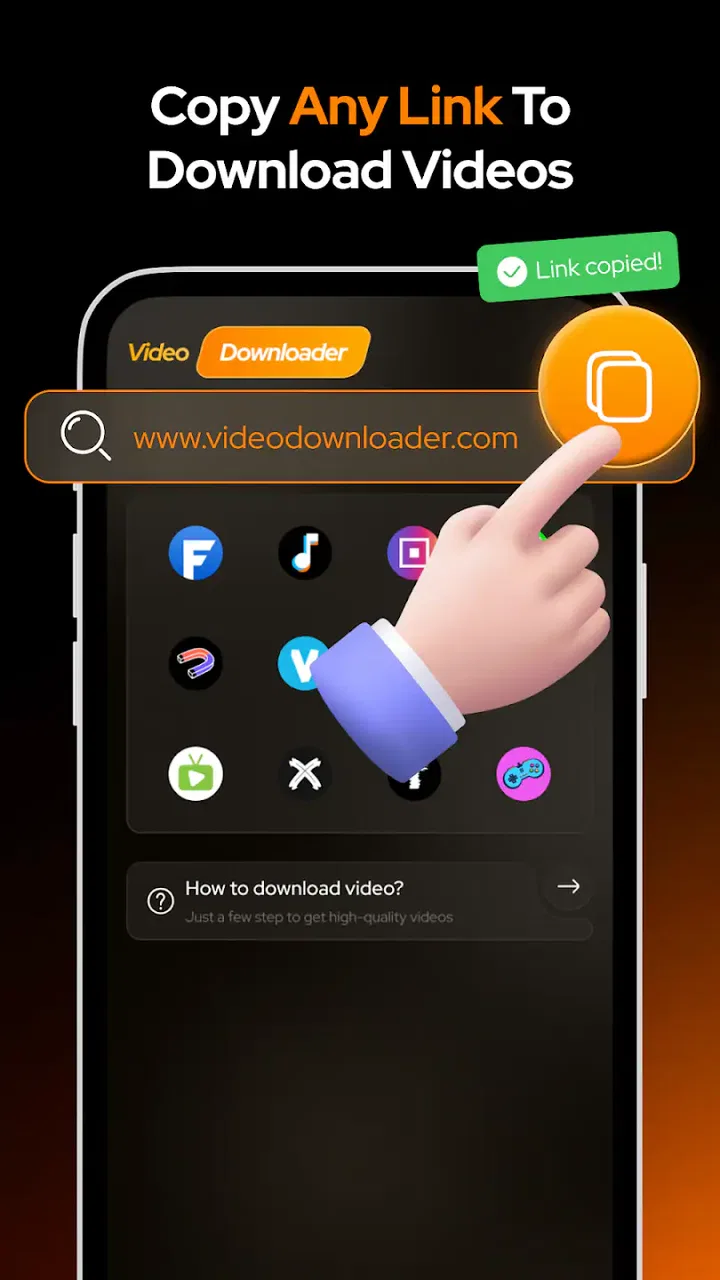
The first handoff is from the place where I discovered the video to the downloader itself. In a good everyday workflow, I want that handoff to be obvious. I would copy or provide the video address through the method the app supports, then look for a clear way to begin saving it. The less time spent switching between unrelated screens, the easier it is to repeat the process for several clips.
My practical advice is to start with one short, nonessential video rather than immediately queuing a large collection. That small test tells me whether the source behaves as expected, whether the resulting file opens correctly, and whether the available storage is sufficient. It also keeps the first attempt low-risk if the source uses a format or delivery method the app does not handle smoothly.
This is one of the less obvious trade-offs with a focused downloader: simplicity can make the main action easier, but it may leave fewer tools for diagnosing a failed transfer. When a download stalls or produces an unexpected result, I would first verify the source, network connection, and storage space before assuming the player is at fault. A simple workflow is convenient when everything lines up, but it may offer less guidance when the input is unusual.
Step two: choosing quality without creating a storage problem
The store positioning emphasizes HD movie playback, which makes image quality part of the app’s appeal. Still, I would not automatically choose the highest available quality for every situation. A large screen and a long movie may justify a sharper file, while a short clip viewed on a phone during a commute may not need the largest version.
This is where the download decision affects the entire handoff to playback. Higher quality can look better, but it can also consume more space and take longer to save. If I am preparing several videos for travel, I would prioritize the content I genuinely plan to watch and avoid treating the download folder as a permanent archive. A quick storage check before starting is a simple habit that prevents the frustrating situation where the final item cannot be saved.
There is also a difference between having an HD-capable player and receiving an HD source. The app can present compatible high-definition video well, but it cannot improve a blurry original into a genuinely sharp one. I would judge the result based on the source quality, the phone’s display, and the chosen file rather than expecting the player alone to transform the picture.
Step three: waiting for the file and preparing the handoff
Once the download begins, the app’s value depends on how little attention the process demands. I would let the transfer finish before treating the video as ready for offline use. A partially completed file may appear in storage but still fail during playback, so testing the finished item while I still have a connection is a smart travel-preparation step.
That test is especially useful before a flight, a long drive as a passenger, or a location where reconnecting will be difficult. I would open the saved video, move through a few sections, and confirm that both the picture and sound behave normally. This is a more reliable check than assuming a completed download always means a successful viewing experience.
The handoff here is from network-dependent activity to local playback. If it works cleanly, the app becomes more than a download button: it becomes the place where I validate the file before depending on it. If the file does not open, I would try another source or a different compatible format rather than repeatedly restarting the same failing transfer.
Keeping saved videos usable later
A download folder can become messy quickly, particularly when filenames are unclear or several versions of the same video are saved. I would use a small routine: download only what I expect to watch, test it, and remove it when it is no longer useful. That approach keeps the app’s offline purpose focused and reduces the chance of confusing an old file with a newly saved one.
This is also where a dedicated media library may have an advantage. If you maintain a large collection with carefully arranged seasons, genres, subtitles, or multiple audio tracks, a specialized media manager may provide better organization. Video Downloader: Movie Player makes more sense for temporary or moderate offline viewing, where the priority is getting a video from source to screen without building a complicated catalog.
I would also avoid assuming that every video saved from every website will behave identically. Online video delivery varies widely. Some links point directly to a file, while others lead to pages, playlists, or protected streams. The app is best judged on the sources it can process consistently, not on an expectation that one tool will replace every platform’s own download system.
Watching the result: where the player earns its place
The player side is important because downloading is only useful if the final viewing experience is comfortable. After saving a video, I want to open it without hunting through several unrelated applications. Keeping download and playback together reduces the number of handoffs and makes the app suitable for a simple “save now, watch later” habit.
For a typical evening, that could mean saving a permitted video while connected to home Wi-Fi, checking it briefly, and watching it later with mobile data turned off. The benefit is not only convenience. Offline playback can make the experience more predictable when the connection is congested, when a service changes availability, or when I want to avoid buffering during an important part of a film.
At the same time, I would not confuse a movie player with a complete cinema setup. If your routine depends on advanced subtitle controls, extensive audio switching, network streaming from a home server, television casting, or detailed playback customization, another player may be the better fit. This app’s strength is the direct route from saved video to viewing, not necessarily the depth of a specialist playback tool.
How it compares with the usual alternatives
The first alternative is the official offline feature inside a streaming service. That option is often smoother for licensed catalog content because the service controls discovery, downloading, and playback together. It may also preserve account-based access and platform-specific restrictions. Video Downloader: Movie Player is more appealing when I need a separate local copy of permitted content or want a single player for files obtained outside one particular subscription.
The second alternative is a general file manager paired with a separate media player. That combination can be more flexible, especially for people who already organize videos manually. However, it creates an extra handoff: save the file in one place, locate it in another, then open it with a third step. The PV LABS app is more convenient when I value a shorter path and do not need elaborate file operations.
A third option is a full-featured media player. Such apps may handle a wider range of formats and offer more control, but their menus can feel excessive when all I want is a downloaded video to play. I would choose the more advanced alternative for a varied personal library or demanding playback requirements, and choose this app for a focused offline workflow.
What the early adoption figures suggest
The app has an average rating of 4.1 from around 26 ratings, with four written reviews, and it has passed 10K installs. Those figures suggest that people are trying it, while the written feedback is still a relatively small sample. I would treat the rating as a useful signal of initial reception rather than proof that every source, device, and video format will behave the same way.
That matters because downloader performance is unusually dependent on the input. A player can feel excellent with one file and disappointing with another if the source uses different delivery methods. I would therefore make my decision based on my own main use case: a few legitimate videos for offline viewing, not a promise of universal compatibility.
Where the workflow breaks
The clearest failure point is an unsupported or restricted source. If the app cannot retrieve the media behind a page, no amount of repeated tapping will make that particular link suitable. I would stop, check whether the source offers an official download option, and use that instead when available. This is one situation where the usual alternative is plainly better.
Another break can happen after the download, when the file exists but playback is not satisfactory. The cause may be the source format, incomplete transfer, storage pressure, or a mismatch between the file and the player. My troubleshooting order would be simple: confirm the download finished, test another small file, free storage if needed, and compare with an official or more versatile player. That sequence separates a bad source from a broader app problem.
Storage is a less dramatic but very real friction point. Offline video is useful precisely because it keeps data local, yet local files take space. I would not download an entire watchlist just because the option is available. A short queue, a quick playback check, and regular cleanup produce a more dependable experience than filling the phone and discovering the problem only when a new download fails.
There is also a privacy and trust consideration with any app that handles video links and local files. I would install it from a reputable store, review the access requests shown by the operating system, and avoid entering sensitive account details into unexpected screens. The app’s purpose does not require me to treat every download prompt as automatically safe. Careful source selection remains part of the workflow.
Who should use it, and who should skip it
I would recommend Video Downloader: Movie Player to someone who wants a compact way to save permitted videos and watch them offline without assembling a separate downloader, file browser, and player. It is a sensible match for commuters, travelers, students reviewing openly available lessons, and anyone who regularly watches personal or freely downloadable clips away from a stable connection.
I would be more cautious about recommending it to someone whose main goal is downloading from protected subscription services, maintaining a large media archive, or editing video after saving it. Those users may be better served by official platform downloads, a dedicated media library, or a real editor. The app’s focused design is an advantage only when the focused task is the one you need.
Families may appreciate the Everyone rating, but I would still guide younger users toward appropriate sources and explain that saving a video is not the same as having permission to redistribute it. The app can simplify access to offline viewing; it does not remove the responsibility to respect creators, platforms, and copyright rules.
My practical routine with the app
My preferred routine would be: choose a legitimate source, start with one test video, select a sensible quality for the device and available storage, wait for completion, and play the finished file before leaving reliable internet access. After watching, I would delete anything temporary. These steps sound modest, but they address the most common points where an offline plan becomes unreliable.
I would also keep the app’s role narrow. I would not use it as my only archive, assume it can process every website, or expect it to replace a professional editor. Used as a bridge between an online video and a local viewing session, it is easier to evaluate honestly and easier to fit into a daily routine.
My overall impression is that Video Downloader: Movie Player is a practical, free utility with a clear path from source to offline screen. PV LABS has aimed at convenience rather than a crowded feature list, and that makes the app approachable for straightforward downloads. The trade-off is that source compatibility, file quality, storage, and advanced playback needs still require user judgment.
If your goal is simply to prepare a few permitted videos before going offline, I think it is worth trying. I would start small, verify the result while connected, and keep a more specialized alternative in mind for protected services or demanding libraries. In that role, the app does what I want from a focused downloader: it shortens the journey from finding a video to actually watching it when the internet is no longer dependable.
FAQs for Video Downloader: Movie Player
01What features does Video Downloader: Movie Player offer?
Video Downloader: Movie Player provides a comprehensive solution for downloading and playing videos directly on your device. Key features include support for multiple video formats, high-speed downloads, an integrated media player, and the ability to manage downloaded files. Users can also create playlists and enjoy seamless video playback without the need for additional apps.
02Is Video Downloader: Movie Player free to use?
Yes, Video Downloader: Movie Player is available as a free download. However, it may include in-app purchases or ads to support its development. These purchases typically offer additional features, such as ad removal, enhanced download speeds, or expanded format support, providing a more streamlined experience.
03Can I download videos from any website using this app?
Video Downloader: Movie Player supports downloads from a wide range of sites, but not all. Some websites, especially those with strict copyright policies, may restrict downloads. It's important to ensure that you comply with copyright laws and the terms of service of the websites you are downloading from.
04Is the app safe and secure to use?
Video Downloader: Movie Player is designed with user security in mind, offering a safe platform for downloading and managing videos. The app does not host or share user data, but users should always download apps from reputable sources like Google Play Store or Apple App Store to minimize security risks.
05What are the system requirements for installing Video Downloader: Movie Player?
To install Video Downloader: Movie Player, you'll need a device running Android 5.0 or later, or iOS 10.0 or later. The app is optimized for both smartphones and tablets, ensuring smooth performance across devices. Sufficient storage space is also necessary to accommodate downloaded videos.
Pros
- Supports multiple video formats seamlessly.
- High-speed downloads without interruptions.
- User-friendly interface and intuitive navigation.
- Built-in movie player with excellent quality.
- Offline viewing mode enhances usability.
Cons
- Contains in-app ads that can be intrusive.
- Limited features in the free version.
- Occasional bugs during video playback.
- Requires permission to access phone storage.
- Not all streaming sites are supported.

Video Downloader: Movie Player
Gallery